// Recovered from WaybackMachine: https://web.archive.org/web/20121117123154/http://www.abrevik.net/
Posted on October 21, 2012 by norwigi · Leave a comment
Okay, so I was supposed to do this earlier, but that didn’t happen. But better late than never, right? (Well, that depends on who you ask, I suppose. But in this case, it’s true) Chances are that almost no one is going to read this, since I’ll already be working on the next post once this one is published. Additionally, the post is dangerously low on images (Read: no images)
So what tools are we trading? Well, this is about the tools available for digital prototyping. Most of these can also be used for the making of the game itself, but for this purpose we use them for prototyping. Okay, let’s start with what we know. I’ll go through the list of software from User Experience and Prototyping, and briefly talk about the ones I already know somewhat well. Then I’ll go through again, and talk about the ones that I’ve only tried a little, or tried in relation to this course or this blog post. (Not that many in the latter, I know.) Then finally, I’ll say something about those I haven’t tried, but that I do have some impression of, or that I want to try.
The “Things I know”-category:
Paint.net
Free Photoshop alternative! Free is always good, but as someone who is used to Photoshop, it can be very frustrating. I mean, yes, it’s pretty much the same thing. But it’s the small things that frustrates. Like not being able to Ctrl+C/Ctrl+P into a new layer. But that’s just my (seemingly mandatory, if you read this blog regularly) ranting. It’s a great piece of software, and I’ve used it a lot. But for prototyping? I don’t like it. I’m not really an artist, but I’m able to produce the same basic shapes on a piece of paper as on the screen. I find it much faster and easier to just grab a pen, but I can see a few situations where it could be helpful. I just haven’t found myself there yet.
Freesound.org. (aka The Freesound Project)
Okay, so it’s not technically software, but it’s a place where you can find music under the Creative Commons license. In other words, free sounds and sound effects! Yay! How do we use it for prototyping purposes? Well, it’s kinda hard to paper prototype sound (Let me know if you find a good way of doing that, btw), but here you can try out different effects, and maybe see what sounds create the feel you want for your game. You don’t need to end up using any of these sounds at all, but it will give you the idea of whether the sound of a slamming door will completely ruin the mood or not without going through the process of recording it. (Hey, it worked for me during JamIT, so it’s worth a try)
Unity 3D
Oh Unity, oh Unity. How I don’t think I like ye. (Yup. That was my attempt at a poem.) I’ve tried getting the hang of Unity multiple times, and usually determined that this time will be different! Still, I always seem to end up more clueless than when I started. Unity and I just don’t work that well together. Maybe I’m just too used to Maya… (I know it’s not really comparable in purpose, but it is in the way it feels to use it) I’ve seen some really fast and cool prototypes made with Unity, but I don’t think that’s something for me.
Adobe Flash
Now this is something I’ve done prototypes in before. It’s also where I first got my eyes on any form of programming/scripting (Not counting HTML of course). I really like the way you can do small animations and point-and-click illustrations in Flash. It’s easy and fast, but you can’t do much without basic (I’m talking REAL basic. You can get far with just the gotoAndStop() function and a button) actionscript knowledge.
FlashDevelop
The not so artist friendly sibling to Adobe Flash. Here nothing can be done without actionscript. However, with some knowledge of the language, you can get pretty much the same results as with Adobe Flash. I made this mock-up of a paper prototype in this program when I couldn’t be in class and make the presentation myself. Took me about 30 minutes. This is a tool I like, and that I use a lot.
XNA
Honestly, I’m not sure I should place this here, or if I should place it in the next category. We (My group and I) used it to make the game for Persuasive and Serious Games last semester, but I can’t say I’m to familiar with it yet. It requires some programming/scripting knowledge. I wouldn’t recommend it as a prototyping tool unless you know it from before.
The “Things I’ve barely tried”-category:
Dame Editor
Nice and helpful tool to make levels out of tiles once you get over the speed bumps at the start. It’s a little hard to get started, but there are tutorials out there. Be warned, however. There are other traps to fall into than just the ones the tutorials mention.
Audiacity
Opened it. Played around with it for a bit. Went back to using Cool Edit.
RPG Maker
In some ways, I suppose this was where my interest for game creation originated. I remember playing around with this when we first got our first stationary computer at home. Before I learned English, I knew how to make a door and switch screens in this program. Haven’t looked at it in years, but kinda want to try it out again.
Flixel
Library for FlashDevelop. I’ve tried to use it a few of times, but I always end up sitting with a “This is too simple to be right”-feeling, and go back to just plain AS3. I suppose it’s a great tool for those that have little or no programming experience, but it still lacks some good tutorials.
Eclipse
Oh, how many times haven’t I given up on trying to set up Eclipse for Lua? Well, not that many, to be honest. But at least three times. On the same project.
The “Those I haven’t tried, but have an impression of and/or want to try”-category:
This category is empty as of yet. When I realize that there is something I want/need that I don’t have any tools for, I go tool-shopping. When others recommend specific tools for a specific task, I check it out if I think I may need it. It’s that simple.
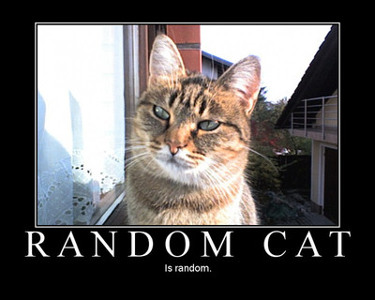
Well, let me just say. If you survived this wall of text, you deserve a reward. Here is a random cat for you.